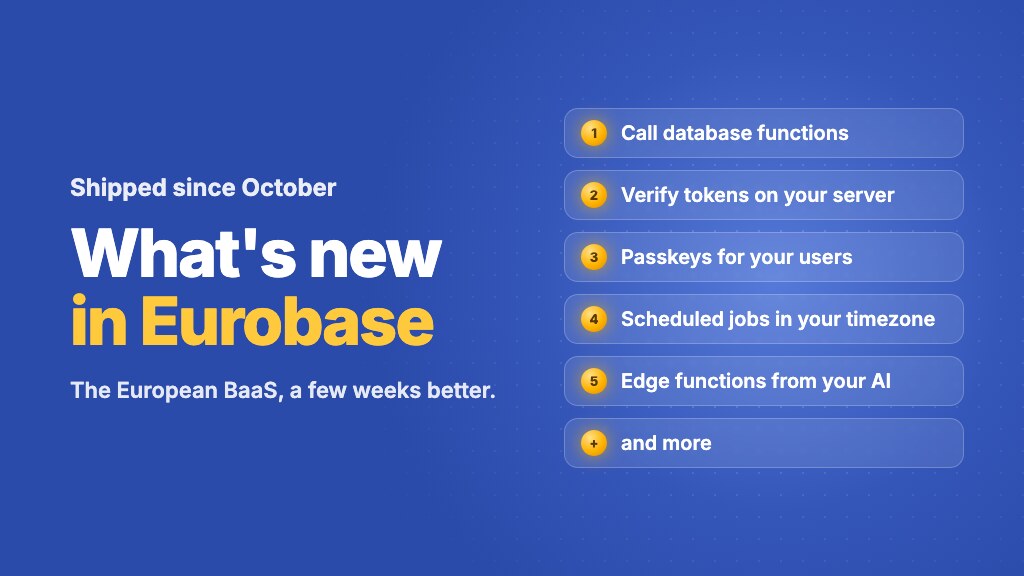
The last five weeks were busy. Since we launched the Lovable integration in October, we shipped a long list of features, most of them asked for by people building on Eurobase. Here are the ten that matter most, each with a short example, and a list of smaller things at the end.
Most of it works today without changing anything. Where a feature needs a newer SDK, we say so. Run npm install @eurobase/sdk@latest to get version 0.12, which has all of them.
1. Call database functions from the SDK
You can now call a Postgres function by name with db.rpc(). It runs as the signed-in user, so row-level security applies, and errors come back readable: the message from your function's own RAISE EXCEPTION, a Postgres error code, and 403 when the user isn't allowed.
const { data, error, code } = await eb.db.rpc('mission_summary', { mission_id: id })

if (code === 'P0001') {
  // the function's own RAISE EXCEPTION, error is its message
}
Needs SDK 0.12. You can also look at a function's definition in the console, CLI and MCP.
2. Verify user tokens on your own server
User access tokens are now signed with ES256, using a key pair that belongs to your project. Your server can check a token by itself, without calling Eurobase on every request. The public keys are published at your project's JWKS address.
import { createRemoteJWKSet, jwtVerify } from 'jose'

const JWKS = createRemoteJWKSet(
  new URL('https://your-project.eurobase.app/v1/auth/.well-known/jwks.json'),
)

const { payload } = await jwtVerify(accessToken, JWKS, {
  algorithms: ['ES256'],
  issuer: 'eurobase',
  audience: 'YOUR_PROJECT_ID',
})
// payload.sub is the user's id
The docs have the same example in Go.
3. Passkeys for your app's users
Your users can sign in with Face ID, Touch ID or a security key instead of a password. Turn passkeys on under Auth → Settings in the console, with your app's domain, and use the SDK (0.9 or newer) in the browser:
if (eb.auth.passkeysSupported()) {
  // Sign in: the browser lists the user's passkeys for your site
  const { data, error } = await eb.auth.signInWithPasskey()

  // Signed in already? Add a passkey to the account
  await eb.auth.registerPasskey('My laptop')
}
4. More control over your users' accounts
- ▸Change the password while signed in.
eb.auth.updatePassword({ currentPassword, newPassword })(SDK 0.11 or newer), and the user gets a "your password was changed" email. - ▸Email confirmation that holds. With confirmation on, a new account gets no session until the address is confirmed, and sign-in answers
email_not_confirmeduntil then. If you turn confirmation on, use SDK 0.10 or newer: older versions expect a session right after sign-up. - ▸Invitation-only apps. The new Allow new signups switch turns off self-service signup. You add users yourself (see the next section).
- ▸Your app's name in auth emails. Set an app name, and verification and reset emails use it instead of the project name.
5. Manage users from your server
Everything on the console's Users page is now also an API, for importing users or managing them from your own backend. It uses a project token with the Admin role (Account → Personal Access Tokens). Keep it on your server, like the secret key.
API=https://api.eurobase.app/platform/projects/$PROJECT_ID/users
AUTH="Authorization: Bearer $EUROBASE_PROJECT_TOKEN"   # eb_ptk_…, Admin role

# Find a user by exact email
curl -G "$API" -H "$AUTH" --data-urlencode "email=ann@example.com"

# Import up to 500 users in one request (bcrypt password hashes optional)
curl -X POST "$API/batch" -H "$AUTH" -H "Content-Type: application/json" \
  -d '{"users": [{"email": "ann@example.com", "email_confirmed": true}]}'
6. Scheduled jobs in your timezone
Scheduled jobs now run in the timezone you pick, daylight saving time included. The console shows the next three run times while you type the schedule, and refuses schedules that would never run, like 31 February.
await eb.functions.schedules.create('nightly-report', {
  functionName: 'nightly-report',
  cron: '30 6 * * 1,2,3,4,5',     // weekdays at 06:30
  timezone: 'Europe/Berlin',
})
7. Edge functions from your AI assistant
The Eurobase MCP server can now deploy, read, roll back and delete edge functions, and read their logs. Connect it to Claude, Cursor or Lovable and ask in plain words:
Create an edge function called send-receipt that emails the order total to the customer, deploy it, and show me the logs of the first run.
Members with the Developer role can now also see a function's code, versions, logs and environment variables in the console.
8. Rotate only the secret key
If a secret key leaks, you can now replace just that key. The public key stays the same, so the apps that ship it keep working. Go to Settings → API Keys and click Rotate on the secret key. The old secret key stops working with the next request, and realtime connections opened with it are closed within a minute.
9. Hand a project to someone else
The owner can transfer a project to another account, for example when you built an app for a client, a club or an association. Go to Settings → Transfer this project and enter their email; they accept while signed in, and you stay on as an admin. On a paid project, your subscription ends with the period you already paid for, and the new owner can subscribe right away: they're first charged the day your period ends. Team projects and projects in an organization can't be transferred this way yet; write to us for those.
10. The console on your phone
The console now works on phones and narrow screens, so you can check a table, a log or a failed job without a laptop.
And smaller things
- ▸Row numbers in the table data view.
- ▸A Bolt tab on the Connect page, next to Lovable.
- ▸Compliance exports now include tables with
FORCE ROW LEVEL SECURITYin full. - ▸Billing: see and change your payment method, and Pay now if a payment failed.
- ▸The console warns you before your session expires, and keeps the scheduled job form when you sign in again.
- ▸Clearer errors from REST requests when a database trigger refuses a write.
Thank you to everyone who sent questions and bug reports. Most of this list started as an email. Keep them coming at contact@eurobase.app.